Linking Media Files to an Item Profile
Linking a document directly to a specific Item Profile is the most explicit link available and it is best used when a document is only relevant to one and only one Item Profile. This type of link can be used exclusively if desired but it may not be the most efficient. Consider for example, a multi-store environment where a single product may be sold across all stores. Each store can have a separate Item Profile with unique images, descriptions, cross-sell items, and so on. If there is a generalized document for a Product in this case, a separate link row would need to be established for each Item profile for the Product.
Perform the following steps to link a media file to an item profile.
- Navigate to the Item Profile Definition page for the item profile that you want to add the media to. The Item Profile Definition page appears.
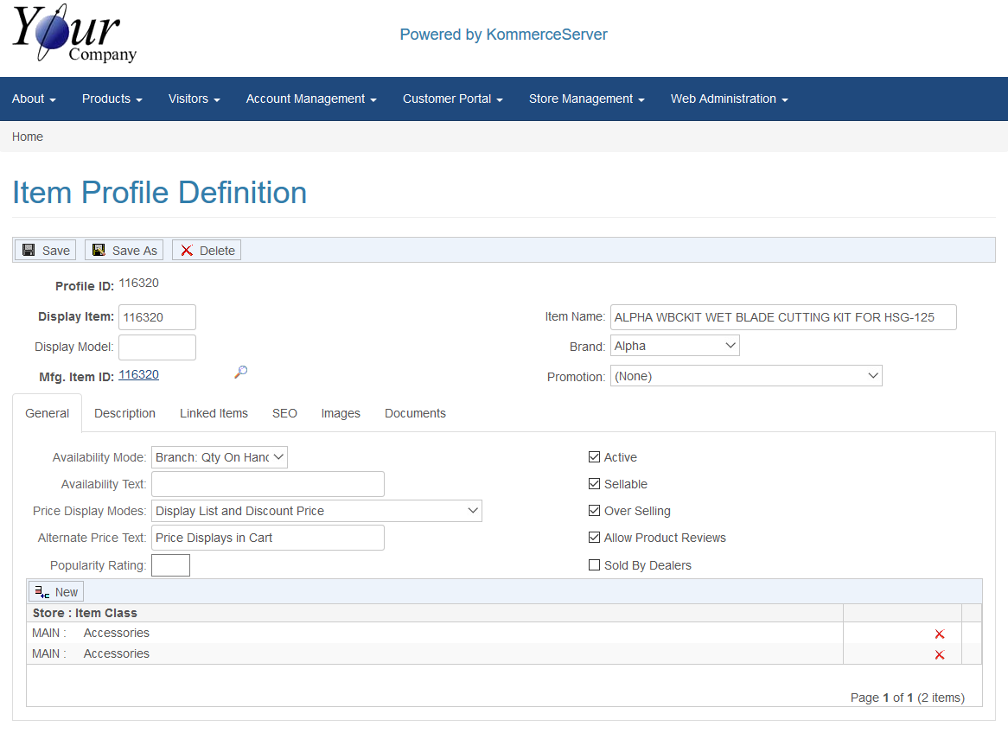
- Click the Documents tab. The Documents tab information appears.
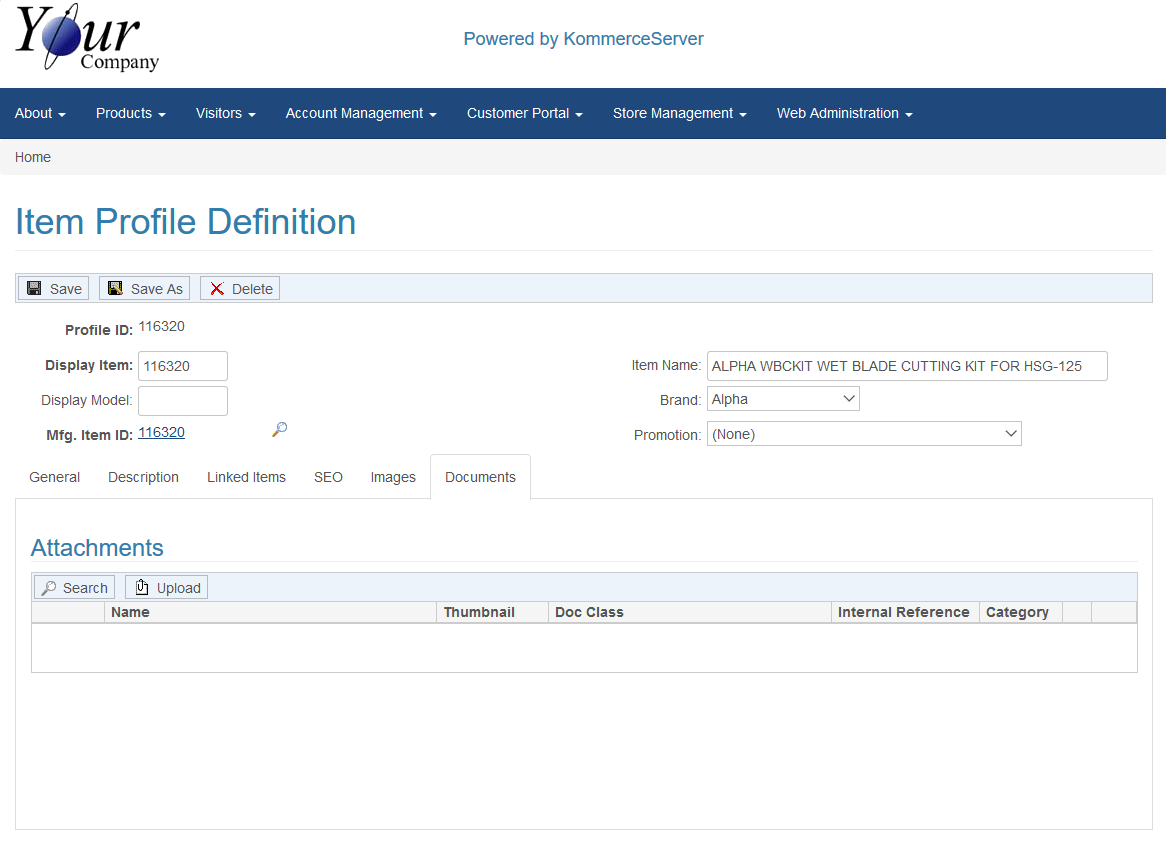
- To upload a new media file, click the Upload button. This will take you to the Advanced Document Post Page. For this procedure, we will search for and select the document we want to upload. Click the Search button in the Attachments area to search for a media attachment. The Document Media Browse window appears.
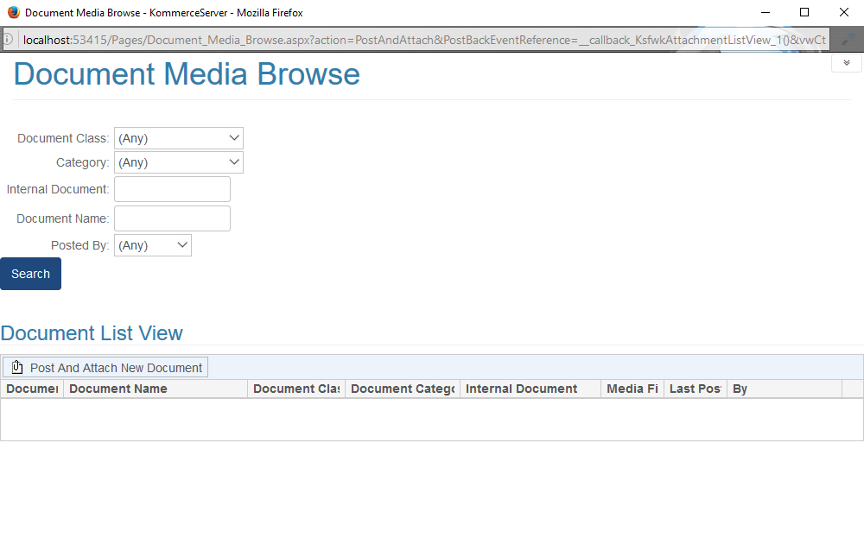
- Use the search filters to search for a specific type of media file that you want to post and click the Search button to perform the search. If you want to post a new document to this item profile, click the Post and Attach New Document button (see the Advanced Document Post Page topic for more information). For this example, we have selected "Catalog" from the Document Class drop-down menu. The Search results will appear in the Document List View area of the Document Media Browse window.
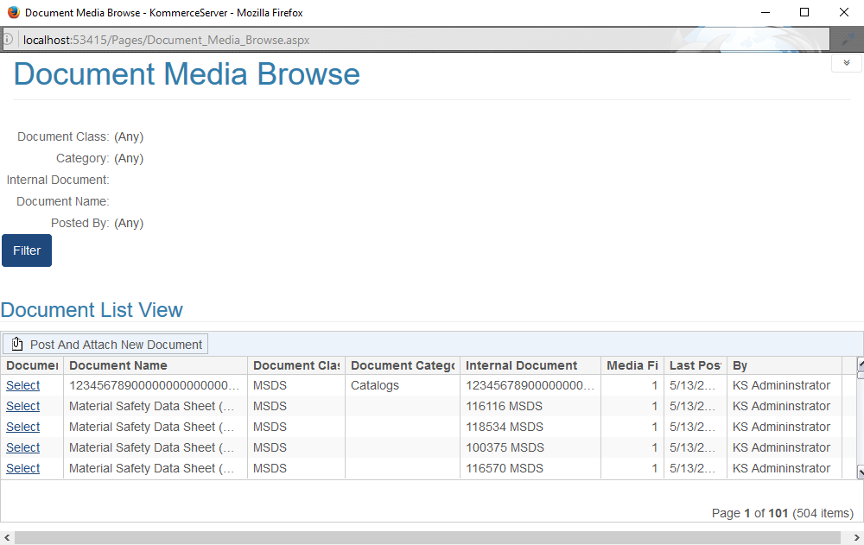
- Click the Select link for the document/media file you want to post to your item profile. The Document tab on the Item profile page is updated with the document file you just posted to it.
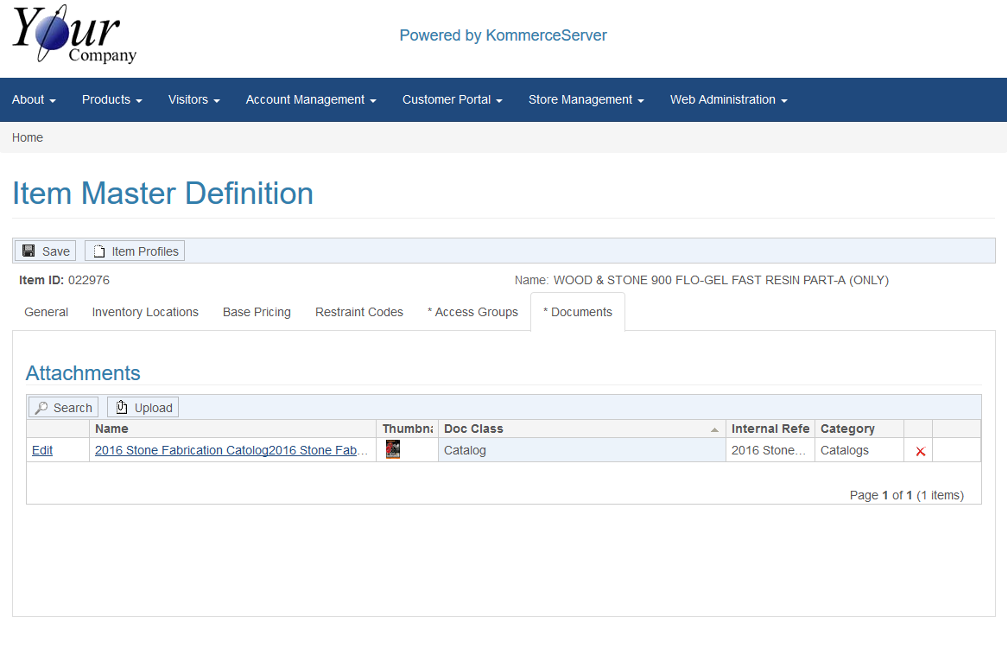
Now that the document has been posted to your item profile, you can navigate to the product listing for that item and click on the Literature tab. The document you posted will be visible and available for download.

 Related Topics